Retranslations
Retranslations
The Retranslation module allows you to configure the transmission of incoming object traffic to an external server in real time or with data accumulation. Below is a description of the fields in the “Add Retranslation” form and the related interface elements.
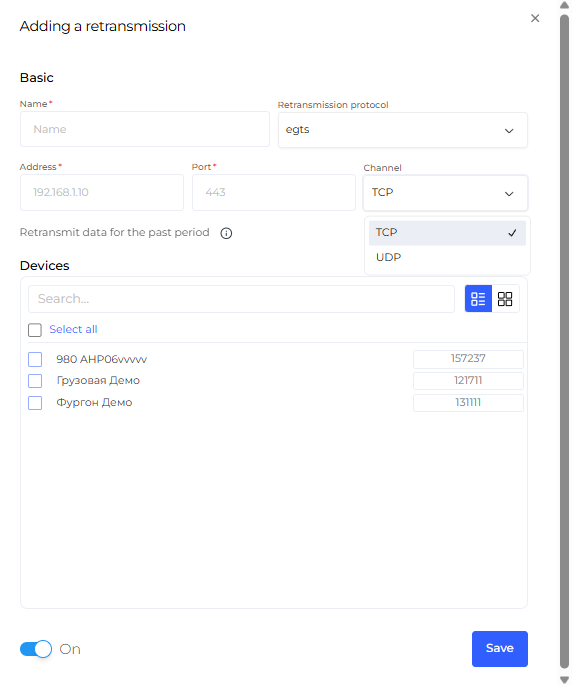
1. Main Connection Settings
At the top of the form, the connection parameters for the remote server are configured.
Name*
An arbitrary name for the retranslator (for example, egts). This field is required.
Port
Destination network port (example: 443).
Address*
IP address or domain name of the external server (example: 192.0.0.0). This field is required.
Retransmit Historical Data
Enables sending historical data accumulated in the database, not only current online traffic.
2. Object Assignment
In the “Objects” block, you can select which vehicles or devices will have their traffic transmitted.
“Search...” Field
Allows you to quickly find the required object.
“Select All” Button
Selects all devices available in the current account.
You can also manually specify the device ID for data transmission, depending on the selected data transfer protocol.
3. Management and Status
“Enabled” Checkbox
Activates or deactivates data transmission.
[Save] Button
Applies the changes and creates the retranslator.