Messages
Messages
The "Messages" module in the Wiafleet system is a tool for displaying, filtering, and analyzing messages received from monitored objects. Each message contains telemetry and event data sent by GPS trackers, sensors, and other devices installed on vehicles.
This module is used to obtain detailed information about vehicle movement, equipment status, and operation, as well as for diagnostics and auditing of transportation activities.
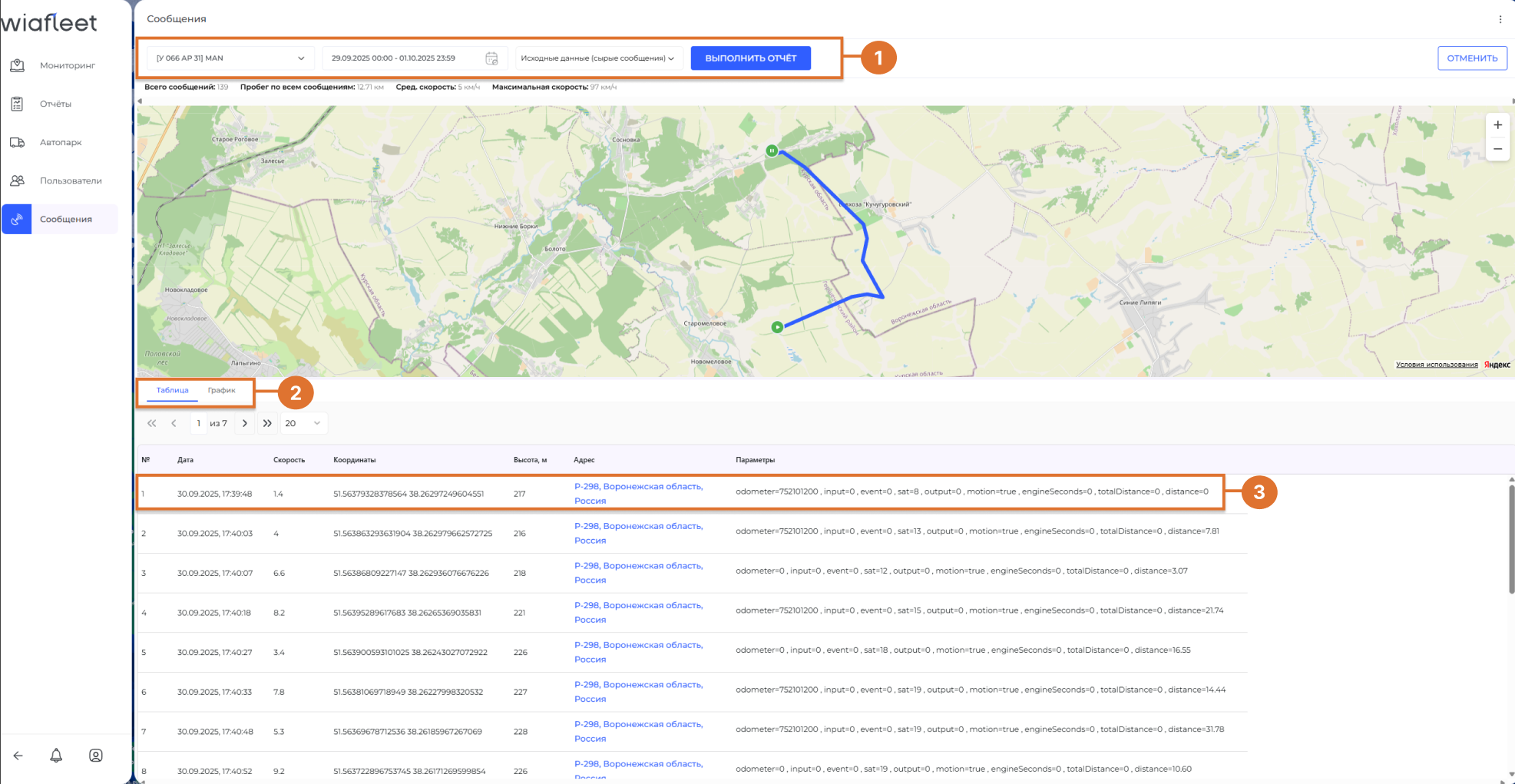
1) Message Display Settings Panel
Before viewing data in the Messages module, you need to configure filters and display settings. The selection panel includes the following elements:
Object Selection
Select the vehicle or group of vehicles from which you want to view messages.
Time Interval Selection
Specify the time range for which data should be retrieved (e.g., past 24 hours, last week, or a custom date and time).
Data Format Selection
Two data format options are available:
-
Raw data - messages received directly from the hardware without processing.
-
Aggregated data - processed and grouped data, including sensor values such as fuel level, temperature, speed, etc.
2) Message Display Formats: Table and Chart
After setting the parameters, data can be displayed in one of two formats:
Table
Messages are shown as rows, each containing:
-
Timestamp
-
Coordinates
-
Speed
-
Sensor status
-
And other relevant parameters
Chart
A visual representation of data over time in the form of line graphs. This is particularly useful for analyzing changes in sensor values, such as:
-
Fuel level
-
Vehicle speed
-
Temperature
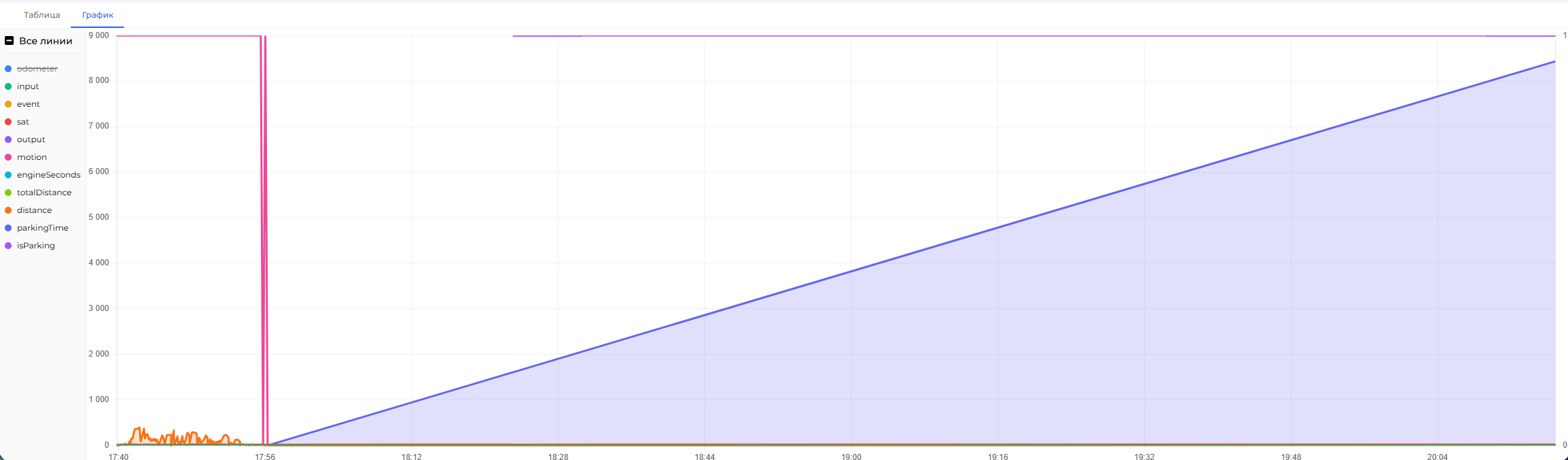
On the left side of the chart area, there is a list of all available parameters transmitted from the object to the server.
You can choose which parameters to display or hide - allowing you to tailor the chart view to your specific analysis needs.
Display options are flexible: you can enable/disable graph lines, zoom in/out, and inspect values at any point on the timeline.
3) Message Rows
When viewing messages in table mode, each row represents a single message received from the monitored object. These messages contain key telemetry and status data.
Main data in a message row:
-
Timestamp - Date and time when the message was received by the server.
-
Speed -The vehicle's speed at the moment the message was sent.
-
Coordinates - Latitude and longitude for determining the vehicle's location.
-
Address - A human-readable address based on coordinates (if geocoding is enabled).
-
Parameters - Data sent from the device, such as ignition status, fuel level, temperature, voltage, event triggers, and more.
To view the full list of parameters in a message:
-
Locate the desired row in the message table.
-
Right-click on the cell containing the parameters.
-
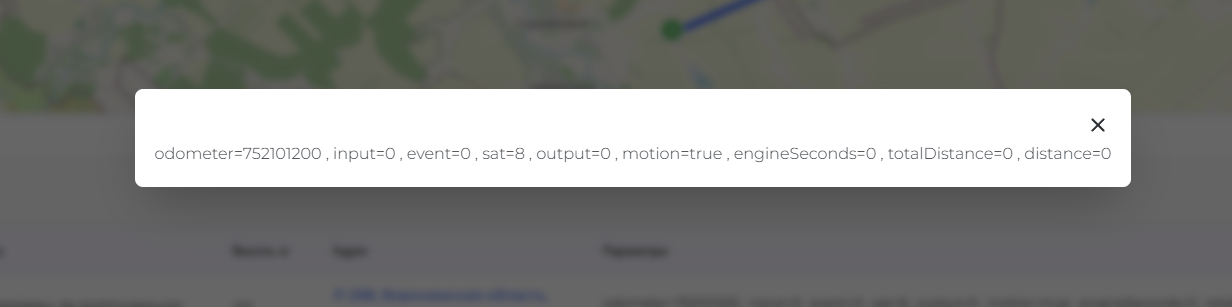
A pop-up window will appear showing all transmitted parameters with their values at the time the message was received.
This feature is useful for analyzing non-standard data or troubleshooting hardware and sensor issues.